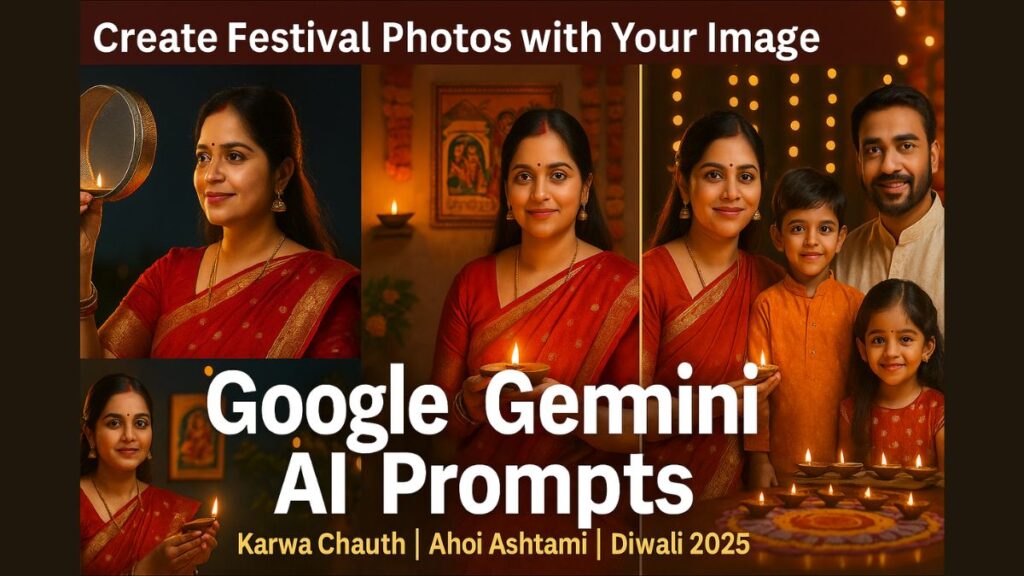
The festive season in India has officially begun, and so has the creativity of people who want to make their celebrations stand out online. With festivals like Karwa Chauth, Ahoi Ashtami, and Deepawali 2025 approaching, the demand for AI-generated festival photos and posters is skyrocketing.
Now, you don’t need to hire a designer or use complex tools — because Google Gemini can create stunning AI festival images using your own photo in just seconds.
In this guide, we’ll show you exactly how to use Google Gemini image prompts to generate realistic Karwa Chauth, Ahoi Ashtami, and Diwali images with your personal touch.
What is Google Gemini and How Does It Work?
Google Gemini is Google’s latest AI creation tool that lets you generate images, posters, and greeting visuals just by describing what you want. Unlike traditional design apps, Gemini understands natural language prompts and creates images automatically — no design skills required.
And now, Gemini can also use your uploaded photo as a base reference, transforming it into a custom AI festival image. That means you can take a normal picture of yourself or your spouse and instantly turn it into a Karwa Chauth moon-viewing scene, an Ahoi Mata puja moment, or a Diwali night celebration.
You can access Gemini through gemini.google.com or via the Gemini mobile app.
Why Are Google Gemini Prompts Trending During Festivals?
During festivals like Karwa Chauth and Diwali, everyone wants to share beautiful, personalized images on social media, WhatsApp, and YouTube thumbnails. Using Gemini:
- You can create HD-quality festival images in seconds
- You can turn your own photos into festive scenes
- You don’t need to edit manually — just describe it
- Perfect for greeting cards, posters, and Instagram posts
This trend is exploding because it combines personal emotion + AI design, making every image look professional, traditional, and heartwarming.
How to Create Festival Images Using Google Gemini
Follow these simple steps:
- Visit gemini.google.com
- Click on the Upload Image (📷) option
- Upload your photo (solo or couple image)
- In the chat box, type one of the prompts given below
- Wait a few seconds – Gemini will generate your image
- Download or refine it further with extra details
Best Google Gemini Prompts for Karwa Chauth 2025 (Using Your Own Image)
If your wife or you both are celebrating Karwa Chauth, these custom prompts can turn your uploaded photo into cinematic festive visuals:
1. Moonlight Ritual Scene
“Use this photo and turn it into a Karwa Chauth night scene. The woman is holding a sieve and looking at the moon, wearing a red saree, traditional jewelry, and a decorated balcony with diyas and flowers. Add a soft moonlight glow and festive background.”
2. Couple Puja Moment
“Transform this couple image into a Karwa Chauth puja moment. Add a full moon in the sky, the wife is holding a thali, and the husband is smiling beside her. Add candles, flowers, and warm golden lighting.”
3. Elegant Poster Style
“Convert this photo into a Karwa Chauth greeting poster with text ‘Happy Karwa Chauth 2025’ at the bottom. Add a red and gold background, diya lights, and festive elements around.”
4. Romantic Balcony Scene
“Turn this image into a romantic Karwa Chauth scene on a terrace. The couple is standing together looking at the moon. Decorate the background with diyas, torans, and glowing lights.”
5. Minimal Artistic Portrait
“Use this photo to create a soft, elegant Karwa Chauth portrait. Keep focus on the faces, use golden lighting, add faint moon and diya background.”
Best Google Gemini Prompts for Ahoi Ashtami 2025 (Solo/Wife Images)
If your wife is observing Ahoi Ashtami, use these prompts to generate devotional and festive scenes:
1. Ahoi Mata Puja Scene
“Use this image to create an Ahoi Ashtami puja scene. The woman is sitting near a wall with Ahoi Mata image and seven stars, holding a diya and kalash. Add festive lights, red saree, and traditional décor.”
2. Devotional Setup
“Convert this image into a devotional Ahoi Ashtami setting. Add puja thali, flowers, lamps, and children around. Use warm lighting and cultural backdrop.”
3. Greeting Poster Style
“Transform this image into an Ahoi Ashtami greeting poster with gold border, elegant red theme, and text ‘Happy Ahoi Ashtami 2025’. Add soft diya lighting.”
4. Modern Portrait Look
“Turn this photo into an aesthetic Ahoi Ashtami portrait. Background should have stars, diya lamps, and floral decor. Keep image bright and festive.”
Best Google Gemini Prompts for Diwali 2025 (Couple or Family Photos)
Want to create stunning Diwali photos? Use these for personalized AI artwork:
1. Home Decoration Scene
“Use this image to create a Diwali home celebration. Add diyas, rangoli, candles, and flower garlands. Couple is lighting lamps together, wearing traditional attire, warm golden lights, HD festive look.”
2. Luxury Poster Style
“Transform this photo into a luxury Diwali greeting card. Add gold text ‘Happy Diwali 2025’, black and gold theme, glowing diyas, and bokeh background.”
3. Family Celebration Scene
“Turn this image into a Diwali family celebration scene. Add kids lighting diyas, colorful lights, and festive Indian home interior.”
4. Rangoli & Fireworks Scene
“Convert this picture into a Diwali night outdoor celebration with fireworks in the sky, rangoli in the foreground, and decorative lamps.”
Prompt Writing Tips for Better Results
To make your AI-generated images more realistic:
- Mention the festival name clearly (Karwa Chauth / Ahoi / Diwali)
- Add specific objects like sieve, thali, diya, moon, or kalash
- Define the lighting style: “moonlight”, “golden glow”, “warm soft light”
- Describe attire and mood: “red saree”, “happy couple”, “devotional”
- Add design context: “poster layout”, “greeting card”, “wallpaper”
Example refined prompt:
“Use this couple image to create a Karwa Chauth terrace scene under full moon, red and gold decor, woman holding sieve, man standing beside, warm golden lighting, emotional expression, festive atmosphere.”
Why This Trend Will Dominate 2025
As AI becomes mainstream, people are shifting from generic wallpapers to personalized AI visuals. Creating festive posters using your own photo connects emotionally with family and followers — perfect for social media, reels, or WhatsApp greetings.
For creators, influencers, and families, this is the easiest way to design HD festival photos that feel real and personal.
Final Words
The magic of this festive season lies in combining tradition with technology. With Google Gemini, you can transform your personal photos into beautiful festival visuals for Karwa Chauth, Ahoi Ashtami, and Diwali 2025.
Just upload your image, use these ready prompts, and let AI do the design work for you. The result?
A stunning, personalized festive photo — full of emotion, color, and Indian culture.
Start creating today and light up your social feed with AI-powered memories!