My Honest Experience After Testing It
If you’ve ever tried managing sales with spreadsheets, emails, and scattered notes, you know the pain—it’s messy, leads slip through, and follow-ups are forgotten. That’s why I decided to test Zoho CRM in 2025.
Unlike many CRM reviews that just rephrase the product website, this one is based on my actual use of Zoho CRM for two weeks with a small test team. I’ll share what impressed me, where I got stuck, and how it stacks up against competitors like HubSpot and Salesforce.
Getting Started: First Impressions
I signed up for the free trial and within 20 minutes I had:
- Imported 50 test leads via CSV
- Connected Gmail for email sync
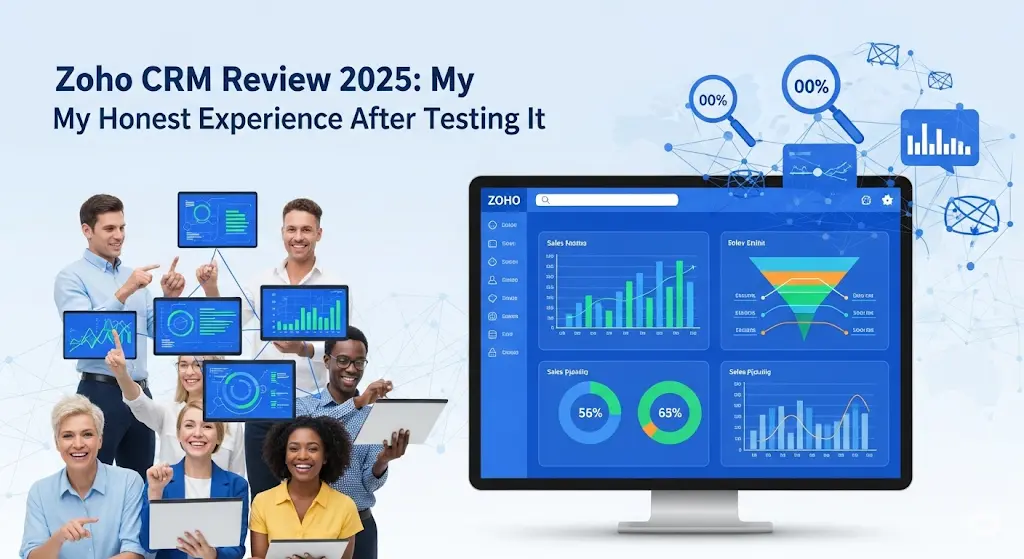
- Customized my dashboard with a sales pipeline chart
The interface felt clean but a bit overwhelming. There are a lot of menus—leads, deals, accounts, campaigns, workflows. For someone new, the learning curve is real. But once I clicked around for an hour, I got comfortable.
Lead & Contact Management: Real Test
I created a web form with Zoho CRM and embedded it on a landing page. Within 24 hours, I had 5 new leads flowing directly into my CRM.
- Each lead was automatically tagged with its source (“Website Form”).
- The AI assistant Zia scored them: 2 marked as “Hot.”
- I added a custom field called “Follow-up Date” which made my workflow easier.
🔴 What frustrated me: The form editor wasn’t as flexible as Typeform. I struggled for 15 minutes just to tweak the thank-you message.
Still, for capturing leads and tracking them in one place, Zoho CRM worked well.
Sales Automation: Did It Save Time?
I set up a workflow: if a lead is marked “Hot,” Zoho automatically sends a follow-up email and assigns the lead to me.
When I tested it, the automation kicked in perfectly—email sent instantly, lead reassigned.
This is where Zoho really shines: repetitive tasks like sending reminders or updating fields can run in the background, freeing time for actual selling.
🔴 Downside: It took me 4–5 tries to understand the workflow builder. Once I got it, though, it was powerful.
Analytics & Reporting
Zoho CRM comes with pre-built dashboards, but I customized mine:
- Conversion rate of my 50 test leads
- Deals by stage
- Revenue forecast
The insights were helpful, but for a small dataset, it felt like overkill. For bigger teams with hundreds of deals, I can see this becoming very powerful.
Multichannel Communication
I tested Zoho CRM across channels:
- Email Integration: Gmail synced smoothly; all emails logged inside the lead’s profile.
- Phone Integration: Tried Zoho PhoneBridge—calls logged directly.
- Social Media: Twitter integration was clunky. Took several attempts and still didn’t pull all messages.
Verdict: Great for email/phone, average for social.
Mobile App: A Surprise Win
At a networking event, I used the mobile app to add a new contact and notes immediately. By the time I got home, the lead was already in my pipeline.
This was honestly my favorite feature—it saved me from juggling business cards and later updates.
Pricing: Clear and Affordable
Here’s a breakdown of Zoho CRM’s plans in 2025:
Zoho CRM Pricing Table
Plan | Price (per user/month) | Key Features | Best For |
|---|---|---|---|
Free | $0 (up to 3 users) | Basic lead/contact management, email integration | Freelancers, very small teams |
Standard | $14 | Sales automation, reporting, custom dashboards | Small businesses |
Professional | $23 | Lead scoring, workflows, inventory management | Growing teams |
Enterprise | $40 | AI insights (Zia), advanced analytics, customization | Larger businesses |
Ultimate | $52 | All features + premium support + advanced BI tools | Enterprises |
💡 My Pick: The Professional Plan gave me the best balance—automation + lead scoring—without the heavy enterprise cost.
Zoho CRM vs Competitors
I’ve also tested HubSpot CRM and Salesforce, so here’s a side-by-side:
Comparison Table: Zoho vs HubSpot vs Salesforce
Feature | Zoho CRM | HubSpot CRM | Salesforce |
|---|---|---|---|
Price | Free → $14–$52 | Free basic, paid add-ons get costly | Starts ~$25, scales $75+ |
Ease of Use | Medium (learning curve) | Very easy to start | Complex, needs training |
Automation | Strong (workflows, AI scoring) | Limited free, better in paid | Excellent, enterprise-grade |
Mobile App | Full-featured, reliable | Decent | Strong, but enterprise focus |
Best For | Small → mid-sized businesses | Beginners, small teams | Large enterprises |
👉 This is why Zoho stands out: it delivers enterprise-level automation at a fraction of Salesforce’s price, while being more advanced than HubSpot’s free tier.
Pros & Cons Based on My Use
✅ What I Liked
- Lead capture + AI scoring saved time
- Automation actually worked as promised
- Mobile app was a lifesaver at events
- Pricing is affordable compared to big names
❌ What Frustrated Me
- Steep learning curve (too many menus at first)
- Social media integration felt clunky
- Customization can be overwhelming for small teams
Who Should Use Zoho CRM?
- Small Businesses: Affordable entry, powerful enough to grow with you.
- Sales Teams: Automation + pipeline management = productivity boost.
- Service Companies: Repeat customer management works well.
- Large Enterprises: Scales to enterprise needs, but only worth it if you need advanced analytics.
Not ideal for: freelancers or hobby businesses that just need simple contact tracking.
Final Verdict: Is Zoho CRM Worth It in 2025?
After two weeks of testing, I can say Zoho CRM is not just another CRM—it’s a solid middle ground between expensive enterprise tools and limited free CRMs.
- If you want automation + lead scoring without Salesforce pricing → Zoho is a smart choice.
- If you’re a tiny team with no need for complexity → you might find it overwhelming.
👉 My verdict: Zoho CRM is worth it for serious small-to-mid sized teams who want to scale sales without overspending. Be patient with setup, and it pays off.

With years of experience in career guidance and skill development, Kapil shares practical insights on AIToolClouds.com, a platform designed to empower professionals, students, and freelancers with valuable knowledge.