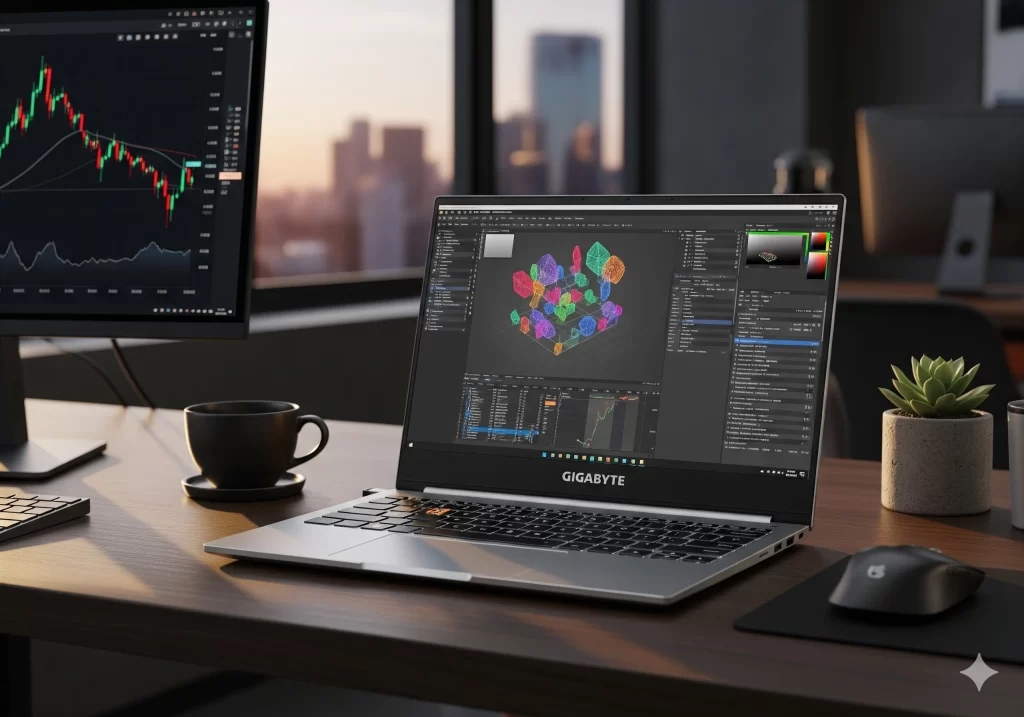
A Slim Creator Laptop With a Mighty CPU – and a Few Rough Edges
The AERO line from Gigabyte has always targeted creative professionals who need workstation-level power in a portable design. The new AERO X16 (2025) brings AMD’s latest Ryzen AI processor, Nvidia’s RTX 5070 GPU, and a surprisingly slim chassis. But does it truly succeed as a do-everything laptop for creators, gamers, and AI enthusiasts?
Key Specifications
Component | Details |
|---|---|
Processor | AMD Ryzen AI 7 350 or AI 9 HX 370, up to 50 TOPS NPU |
Graphics | Nvidia GeForce RTX 5070, 8 GB GDDR7, Blackwell, DLSS 4 |
Memory & Storage | Up to 64 GB DDR5 RAM, up to 4 TB NVMe SSD |
Display | 16″ WQXGA (2560×1600) IPS, 165 Hz, 100 % sRGB, Pantone validated |
Dimensions & Weight | 16.75 mm thin, 1.9 kg (4.2 lb) |
Battery & Charging | Claimed up to 14 hrs, 100 W fast charging (0–50 % in ~30 min) |
Connectivity | Wi-Fi 6E, HDMI 2.1, 2× USB-C (DP/PD), 2× USB-A, full-size SD reader |
Special Features | Windforce Infinity cooling, “Golden Curve” keyboard, GiMATE AI assistant, Copilot+ PC branding |
Design and Build Quality
Slim and Professional Form Factor
At under 17 mm thick and just 1.9 kg, the AERO X16 is impressively portable for a 16-inch device. Thin bezels give it a modern 92 % screen-to-body ratio. Available in Space Grey and Lunar White, the minimalist look works in both professional and gaming setups. The chassis is mostly metal, though the keyboard deck shows a bit of flex.
Ports and Connectivity
Ports include dual USB-C (one with Power Delivery), dual USB-A, HDMI 2.1, a headphone jack, and an SD card slot. However, Gigabyte places most ports toward the front edges, which can make cable management awkward—especially for left-handed mouse users. Charging is via USB-C only, so if both USB-C ports are in use, you’ll need to unplug one to charge.
Keyboard and Trackpad
The “Golden Curve” keyboard offers large keycaps and decent travel, but feedback feels a little mushy. The glass touchpad is wide and smooth, though the click mechanism is stiff. Backlighting is white and adjustable.
Display Quality
The 16″ 165 Hz IPS display (16:10) is excellent for productivity and gaming. Color accuracy is Pantone-validated with full sRGB coverage. Brightness peaks at 500 nits, good indoors but less ideal outdoors. However, creators working in AdobeRGB/DCI-P3 workflows will find the gamut limited.
Performance
CPU and AI Workloads
The Ryzen AI 7 350 combines Zen 5 CPU cores with a 50 TOPS NPU. Everyday productivity and AI-assisted features like Cocreator or Live Captions run smoothly. Multi-threaded performance rivals Intel’s Core Ultra series, with better efficiency.
GPU and Gaming
The RTX 5070 (Blackwell) with 8 GB GDDR7 shines in AI-enhanced tasks. In gaming at 2560×1600, it delivers:
- Cyberpunk 2077: ~80–90 FPS (DLSS enabled)
- eSports titles: 165+ FPS easily
Its 85 W TGP limits absolute power versus bulkier gaming laptops, but for a thin-and-light machine it’s strong.
Thermals and Cooling
Gigabyte’s Windforce Infinity system keeps the keyboard surface comfortable. Fans are quiet at light loads but audible under stress. Prolonged heavy gaming sees GPU temps in the 90 °C range with mild throttling.
Battery Life
Real-world usage averages 8–9 hrs of mixed work. Gaming or AI tasks cut this to 3–4 hrs. Fast-charging works well, hitting 50 % in ~30 minutes.
AI Features and Copilot+ Integration
- Microsoft Copilot+ PC: Local AI features like Cocreator (AI image generation) and Live Captions run directly on the NPU.
- GiMATE Assistant: Gigabyte’s voice-controlled AI tool adjusts power modes, noise reduction, and privacy features.
- Early Days: While promising, some features (like Cocreator) are still limited, and GiMATE occasionally misinterprets commands.
Creator and Professional Workloads
- Video/Photo Editing: Smooth 4K editing in Premiere and Resolve thanks to RTX Studio drivers. AI effects (noise reduction, masking) are accelerated.
- 3D Work: Blender and Maya benefit from AI denoisers and 5th-gen Tensor Cores.
- Color Workflows: Great for sRGB web content, but external monitors are needed for AdobeRGB/DCI-P3 accuracy.
- Audio/Media: Dolby Atmos speakers, clear mics with AI noise reduction, 1080p webcam with Windows Hello and shutter.
Pros and Cons
What We Like
- Powerful AI‑capable hardware: The combination of Ryzen AI CPU and RTX 5070 GPU delivers strong performance for productivity, gaming and AI workloads
- Slim, modern design: At 16.75 mm and 1.9 kg, the AERO X16 is exceptionally portable for its class
- High‑refresh display: 165 Hz panel with Adaptive Sync benefits gaming and smooth scrolling.
- Innovative cooling: Windforce Infinity design keeps surface temperatures comfortable
- GiMATE assistant: Natural language controls for power modes, overclocking and AI tasks
Areas for Improvement
- Port placement: Ports positioned near the front edges can clutter the workspace and interfere with mouse movement.
- Keyboard feel: While comfortable, the Golden Curve keyboard has a mushy feedback that may not satisfy typists.
- Color gamut: The display’s color space is limited to sRGB; creators needing Adobe RGB or DCI‑P3 coverage should use an external monitor.
- Thermal throttling: Sustained heavy workloads can lead to reduced GPU performance after prolonged use.
- Price: As a premium device with cutting‑edge hardware, the AERO X16 commands a high price. Competing laptops offer similar performance for less, though they may be heavier or lack AI features.
Conclusion: Who Should Buy the AERO X16?
The Gigabyte AERO X16 (2025) is a rare laptop that aims to do it all—creator workflows, gaming, and AI tasks—in a slim chassis. It mostly succeeds:
- Great for: Creators who want portability with solid performance, gamers who value thin design, and tech enthusiasts eager to try on-device AI.
- Not ideal for: Color-critical professionals (AdobeRGB/DCI-P3) or gamers wanting max power per dollar.
If you’re excited about AI features and want one of the most forward-looking laptops of 2025, the AERO X16 is a compelling—if imperfect—choice.
Frequently Asked Questions (FAQ)
1. Is the Gigabyte AERO X16 good for gaming?
Yes. With the RTX 5070 GPU and 165 Hz Adaptive Sync display, it handles AAA titles like Cyberpunk 2077 at 80–90 FPS (DLSS on) and eSports games well above 165 FPS. However, its 85 W GPU TGP means heavier gaming laptops can deliver even higher frame rates.
2. How long does the battery last in real-world use?
Expect 8–9 hours of mixed productivity (browsing, editing, streaming). Gaming or AI workloads reduce this to 3–4 hours. Fast charging gives 50 % in about 30 minutes.
3. Does the AERO X16 support AdobeRGB or DCI-P3 for color-critical work?
The built-in screen is Pantone-validated with 100 % sRGB coverage, but it doesn’t fully cover AdobeRGB or DCI-P3. Professional creators should use an external monitor for color-critical projects.
4. Can I upgrade the RAM and storage?
Yes. It supports up to 64 GB DDR5 RAM and 4 TB NVMe SSD, though the slim chassis makes user upgrades trickier compared to bulkier laptops.
5. What makes this a Copilot+ PC?
It comes with AMD’s Ryzen AI processor and Microsoft’s Copilot+ branding, enabling on-device AI features like Cocreator in Paint and Live Captions. Gigabyte’s own GiMATE assistant further expands AI-based controls.

With years of experience in career guidance and skill development, Kapil shares practical insights on AIToolClouds.com, a platform designed to empower professionals, students, and freelancers with valuable knowledge.